How to Use StayingCloseBy
Start with their address. See what’s within 1, 3, and 5 miles. Anything farther isn’t staying close by, is it?
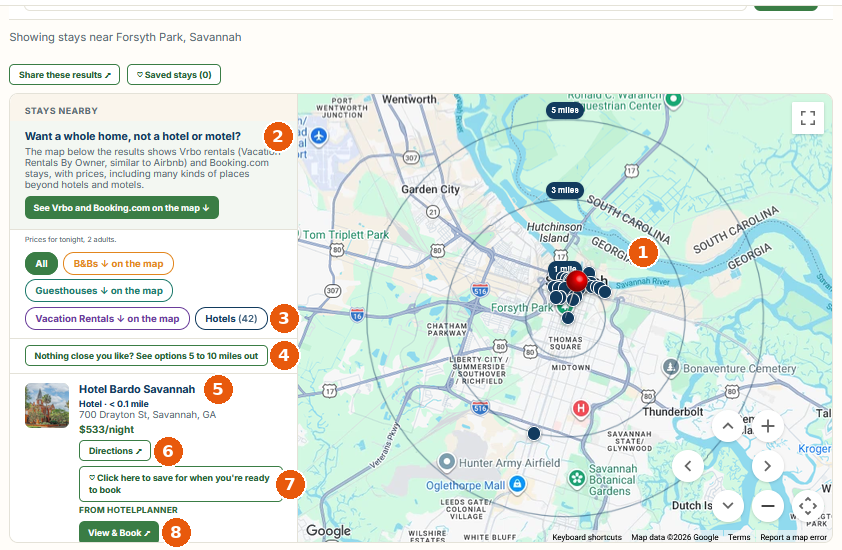
- 1The map. The red pin is the address you typed. The rings show 1, 3, and 5 miles. Blue pins are hotels.
- 2Want to see other types of lodging? Click the green button, See Vrbo and Booking.com on the map. See the map it opens.
- 3Hotels (42). The number of hotels found near this address.
- 4Nothing close you like? Tap to see everything from 5 to 10 miles out. See what changes.
- 5The stay card. It shows the name, the address, how far away it is, and the price per night.
- 6Directions. Opens Google Maps with directions.
- 7Save for when you’re ready to book. Keeps the stay on your list for later.
- 8View & Book. Opens the partner’s site in a new tab. You book and pay there.
After you click the green button
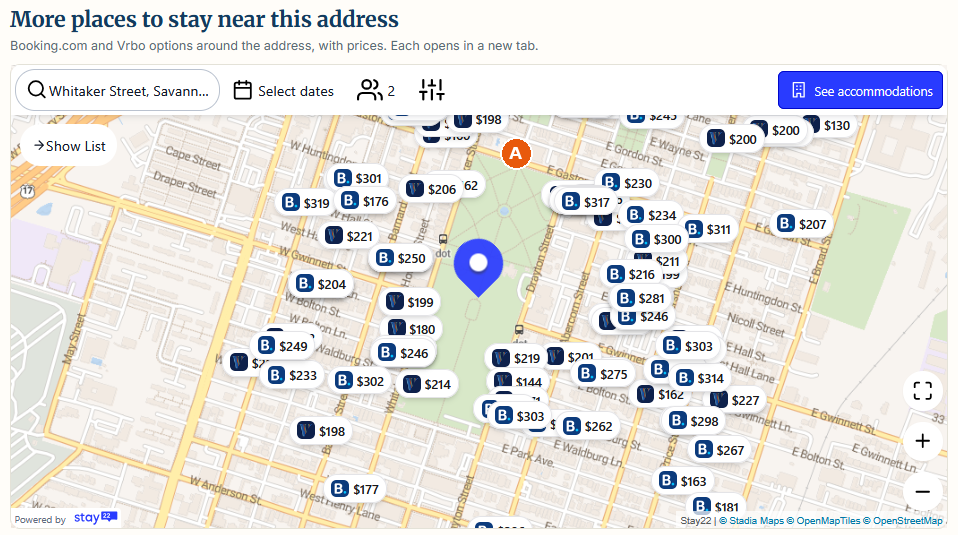
- AOther types of lodging. Each pin is a stay with its price. Pins with a B are Booking.com. Pins with a V are Vrbo. Each one opens in a new tab.
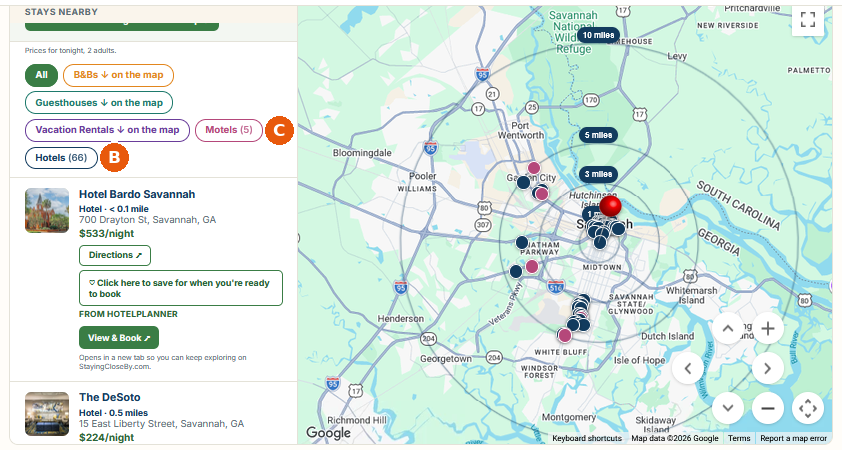
After you tap “Nothing close you like?”
- BHotels (66). The number of hotels now found, out to 10 miles.
- CMotels (5). The number of motels found. Pink pins are motels.
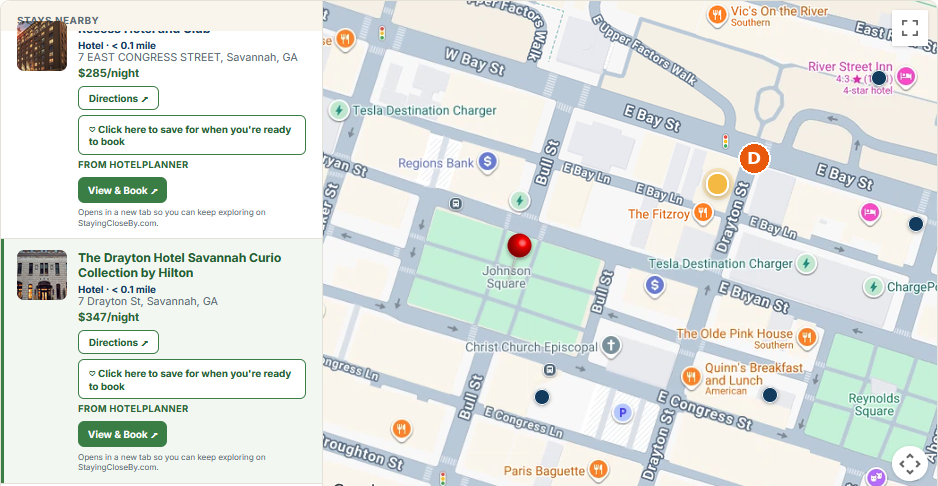
Zoom in to street level
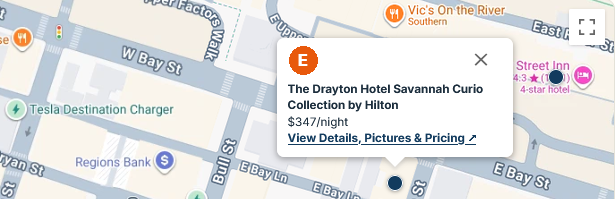
- DZoom in. Use the plus and minus buttons to see street names and exactly where each stay is. Here, the highlighted stay, The Drayton Hotel Savannah Curio Collection by Hilton, is listed as less than 0.1 mile from the red pin.
Click a dot to see the stay
- EClick a dot. A small card pops up with the hotel’s name, the price per night, and a link: View Details, Pictures & Pricing.
After you click View Details or View & Book
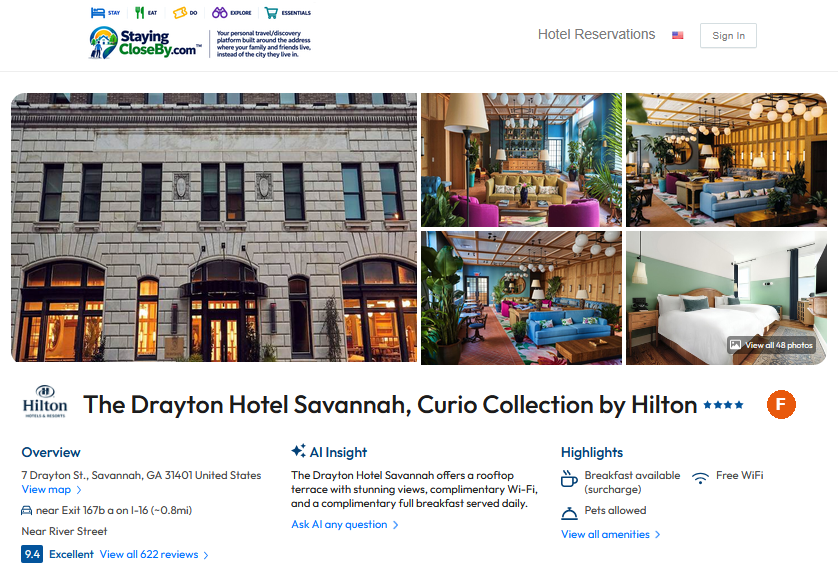
- FThe partner’s page. It opens in a new tab with photos, an overview, and guest reviews. This page is run by HotelPlanner, and the web address ends in hotelplanner.com. You book and pay here.
Are You Inviting Family or Friends To Stay In Your Home?
- Click Are You Hosting? at the top of the site.
- Type your address and click Make my link.
- Send the link to your guests. When they tap it, they see the map of places to stay near your home.
Your address is in the link. Only send it to people you trust.
Not ready to book?
Click Save for when you’re ready to book on any stay. You can also sign up for a free My Saved Places account and save the addresses of the people you visit most often.
Good to know
You book and pay on the partner’s site. StayingCloseBy does not take bookings or payments. The partner’s prices, rules, and cancellation policies apply. For changes or refunds, contact the company you booked with.
It’s free to use. StayingCloseBy doesn’t add any fees.
Then type in the address of the people you’re visiting.